TECHNOLOGY FOR HANDBALL

Train and compete
with data.
Make informed
decisions.

Everything that happens on court can help you make better decisions. Record, organise and analyse your team’s work with Handball Training Tracker.

View installation instructions

14 days free · 360 plan access · One squad

HANDBALL TRAINING TRACKERRECORDING
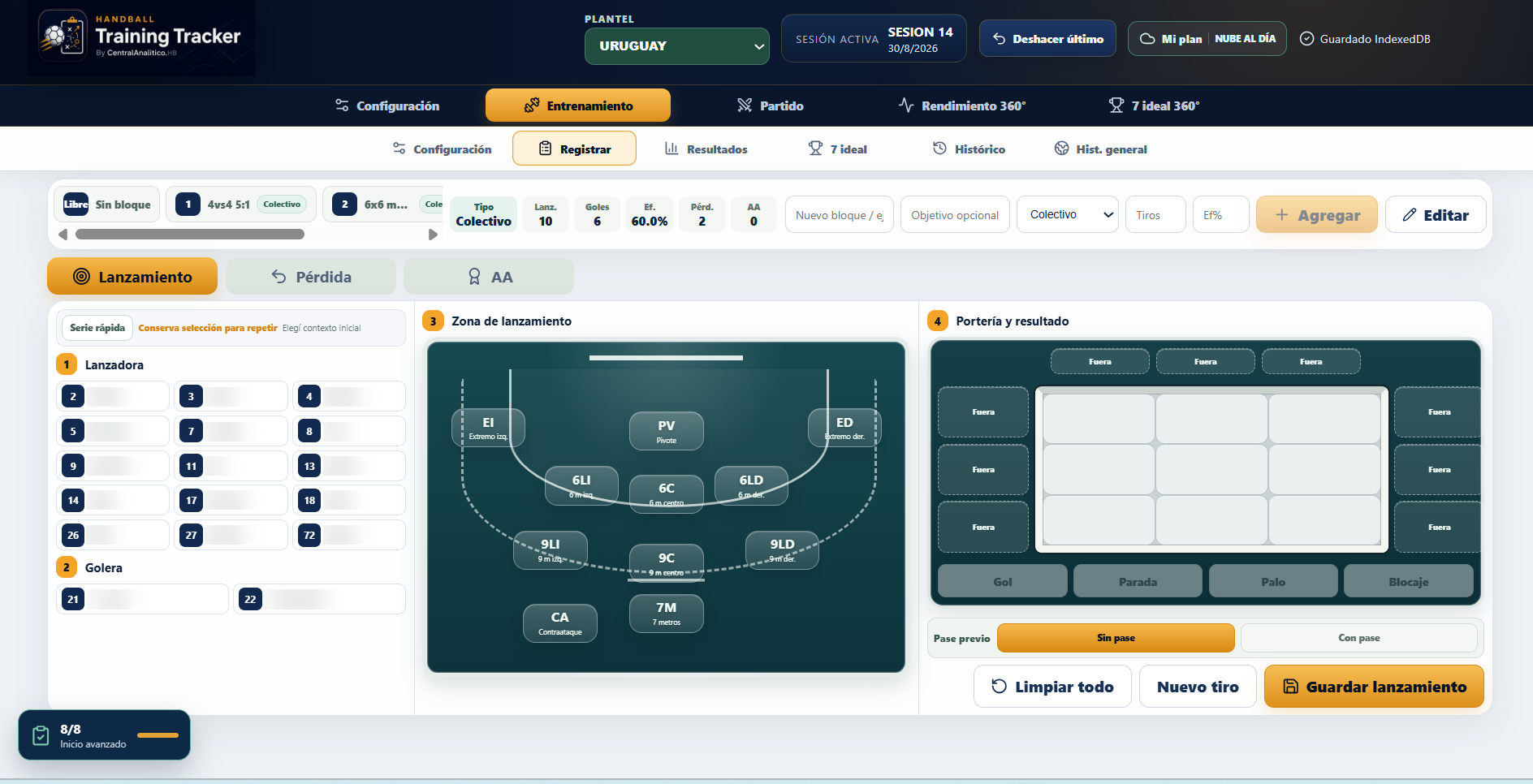
Training recording screen with shooter, goalkeeper, court zone and result selection. Names blurred.
Record every action on courtEnlarge screenshot (opens a new tab)

One session. One record. Information for your next decision.

YOUR APP, ALWAYS AT HAND
Install Handball Training Tracker

Install Handball Training Tracker on your computer, tablet or phone. Open it as an app and keep recording information even when your connection is unstable.

First launch and sign-in require a connection. Wait until the app says it is ready for offline use. Synchronisation requires a connection again.

app.handballtrainingtracker.com
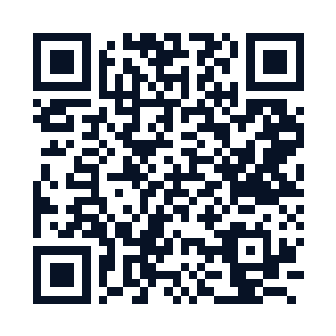
QR code to install Handball Training Tracker
Scan the QR code with your phone to open the installation flow.
Windows
  1. Open the app in Chrome or Edge.
  2. Press Install app. If the prompt does not appear, use the install icon or the browser menu and select Install app.
  3. Confirm. Then open it from the Start menu or desktop shortcut.
Android
  1. Open the app in Chrome or Edge.
  2. Press Install app or open the ⋮ menu and select Install app or Add to Home screen.
  3. Confirm Add and open it from its icon.
iPhone / iPad
  1. Open the app in Safari and tap Share.
  2. Choose Add to Home Screen.
  3. Confirm with Add.

The iOS installer cannot be triggered directly by a button.

If you have already installed it, open it from its icon. Not all browsers can detect an existing installation.

No .exe, .apk or .dmg files, Play Store or App Store are needed. Installation takes place in the app itself.

BUILT FOR HANDBALLFROM RECORDING TO ANALYSISTRAINING + MATCHA SEASON-LONG VIEW

WHAT’S NEW

The latest from Handball Training Tracker.

New ways to access, explore and use the platform.

INSTITUTIONAL NEWS

Central Analítico.HB and the Uruguayan Handball Federation announce a partnership

A new step to advance technology, sports analysis and the development of Uruguayan handball.

Discover the partnership
Institutional partnership
Central Analítico.HB
Uruguayan Handball Federation
APPLICATION

Handball Training Tracker, now in English.

The Handball Training Tracker app is now available in English. A new language option for using the platform.

This update applies to the app.

Open Handball Training Tracker
APPLICATION

Your app, one tap away.

Open Handball Training Tracker from your desktop or home screen. The website includes an install button, a QR code and guides for Windows, Android and iPhone/iPad.

Installation depends on your browser. You can also keep using the web version.

See how to install the app
PRODUCT WEBSITE

The website, in five languages.

Explore features, plans and tutorials in Spanish, English, Portuguese, French and Italian. Choose your language at the top of any page.

Spanish is the primary language. This update applies to the product website.

Choose language

EVERY SESSION COUNTS

Training comes to an end.
The information shouldn’t.

Do you really know how your team is training? Over a season, sessions, decisions and lessons add up. Without a record, much of that information disappears.

Turn everyday work into a history you can review, interpret and use.

ONE PROCESS. BETTER DECISIONS.

From training to decisions.

01

Plan

Organise your team’s work.

02

Record

Build a history of your training.

03

Analyse

Understand the work and its progress.

04

Decide

Adjust your next training plan.

YOUR TEAM, IN PERSPECTIVE

The whole process.
In one place.

Explore features
01

Squads and players

Organise your squad and bring together the information you need to track its work.

From Basic
02

Training sessions

Create training sessions and record actions, attendance, blocks and essential results.

From Basic
03

Matches

Prepare matches and record live actions with a timer, scoreboard and essential statistics.

From Basic
04

Advanced analysis

Explore heatmaps, zones, efficiency, player profiles and positive and negative connections.

From Pro
05

Progress and history

Review training and match history, individual progress and alerts.

From 360
06

360° Performance

Compare both contexts with transfer analysis and the 360° best seven.

From 360

INSIDE HANDBALL TRAINING TRACKER

Take a look inside Handball Training Tracker.

Record what happens on court, interpret performance and connect training with competition.

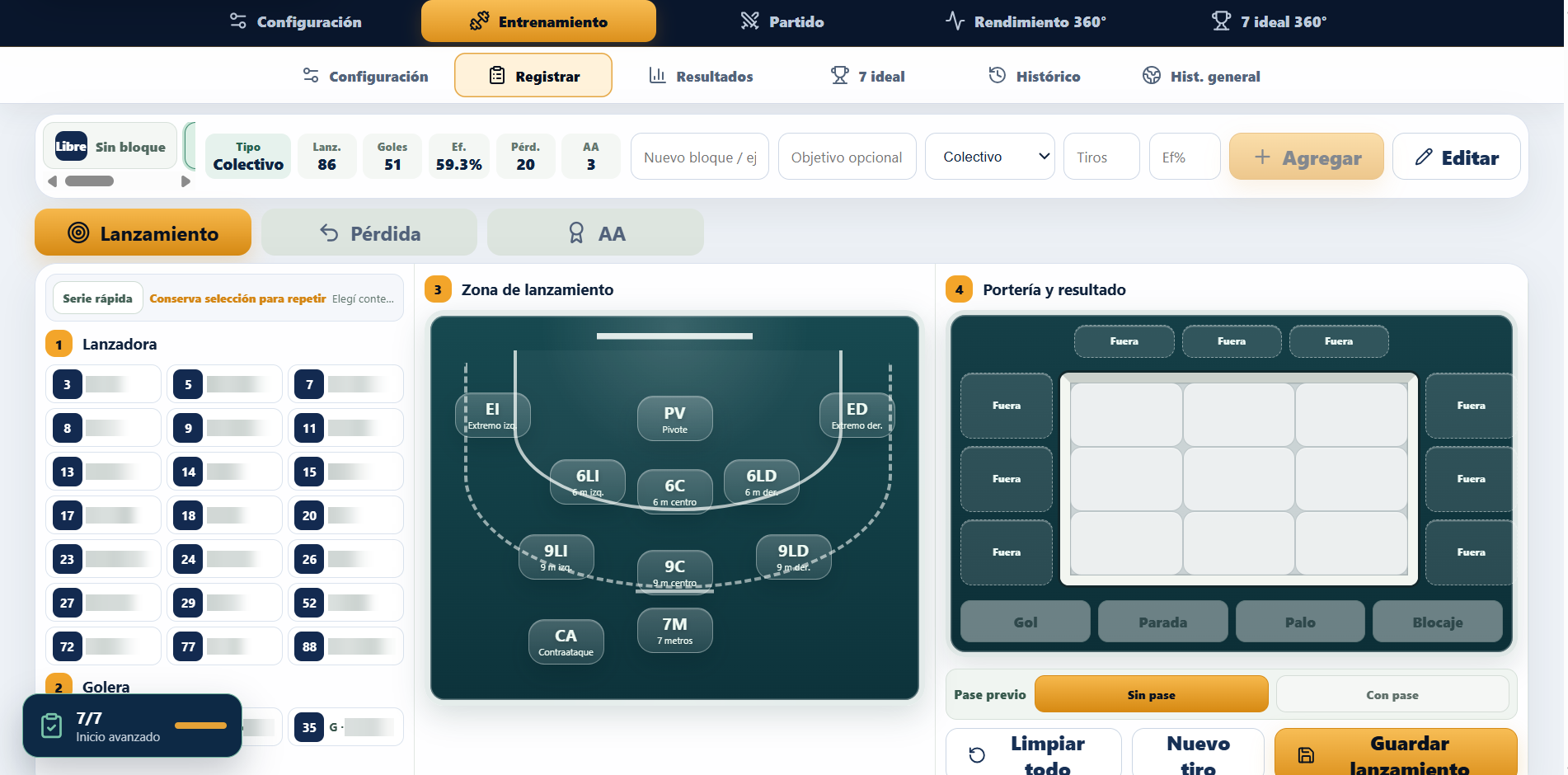
Training recording

Select the player, goalkeeper, shot zone and outcome. Record the actions in each block as the session unfolds.

Training recordingEnlarge screenshot

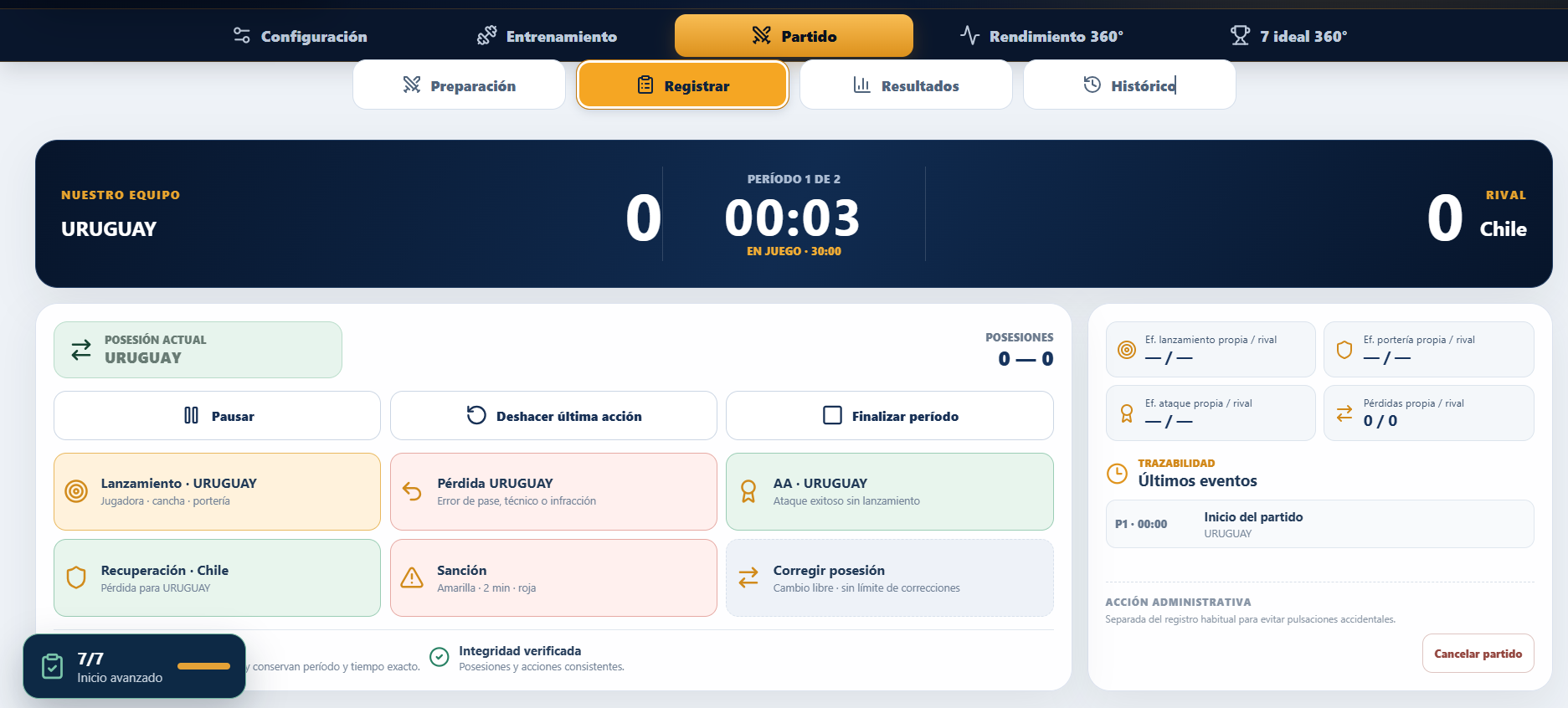
Match recording

Control the clock and score, record both teams’ actions, and check possession and the latest events.

Match recordingEnlarge screenshot

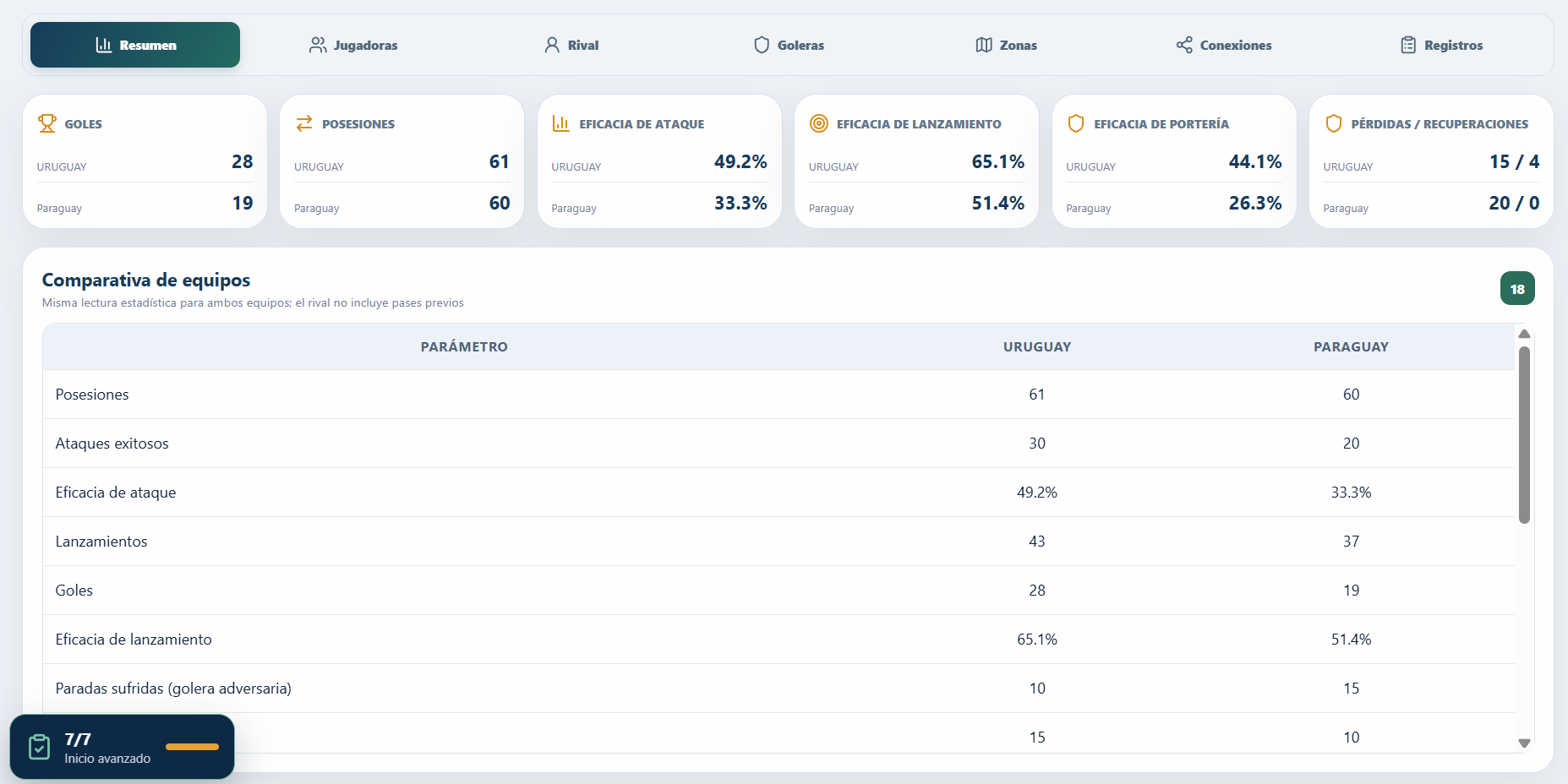
Match statistics

Review possessions, attacking and shooting efficiency, turnovers and goalkeeping performance. Compare both teams using the same statistical framework.

Match statisticsEnlarge screenshot

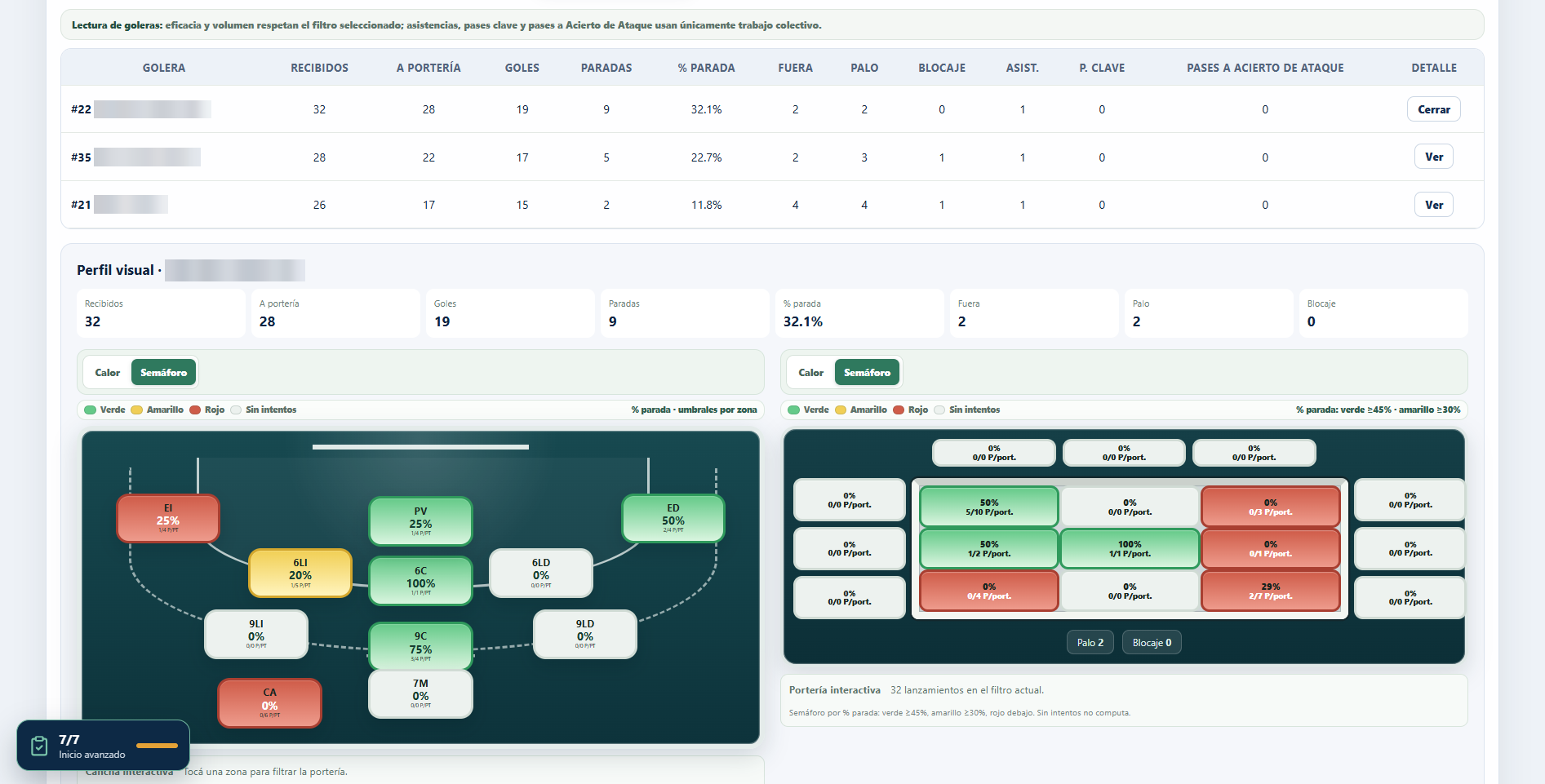
Maps and zones

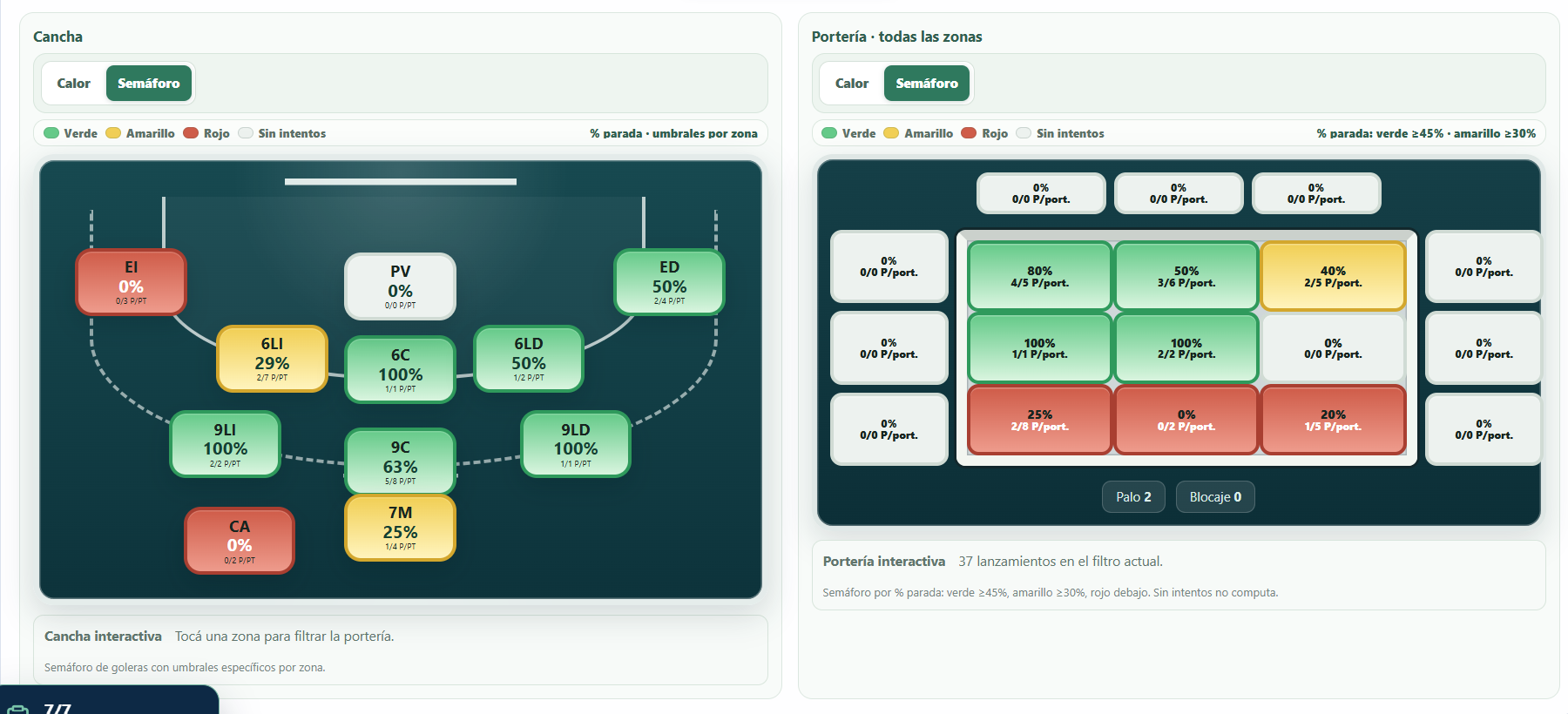
Locate outcomes on the court and in the goal. This goalkeeper view shows save percentages by zone using traffic-light efficiency indicators.

Maps and zonesEnlarge screenshot

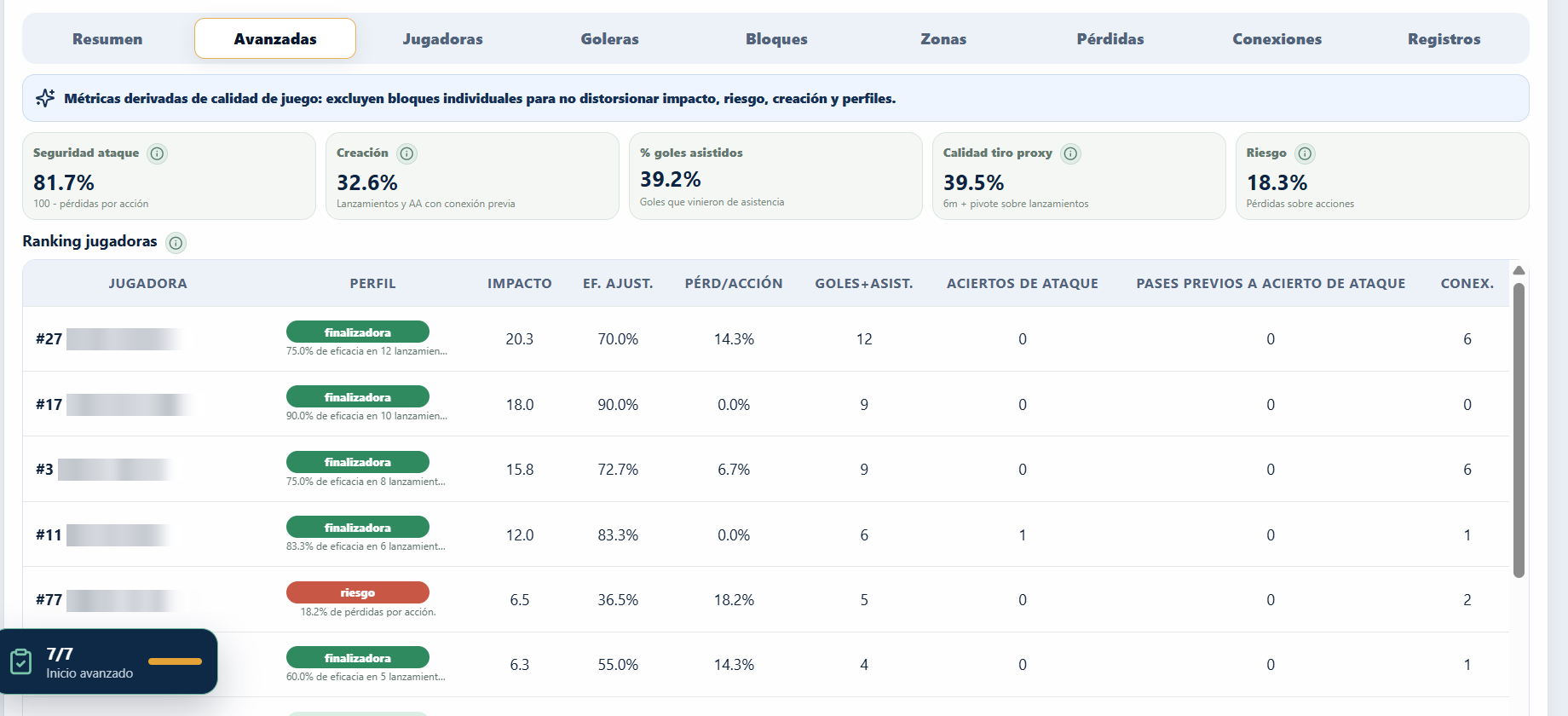
Training analysis

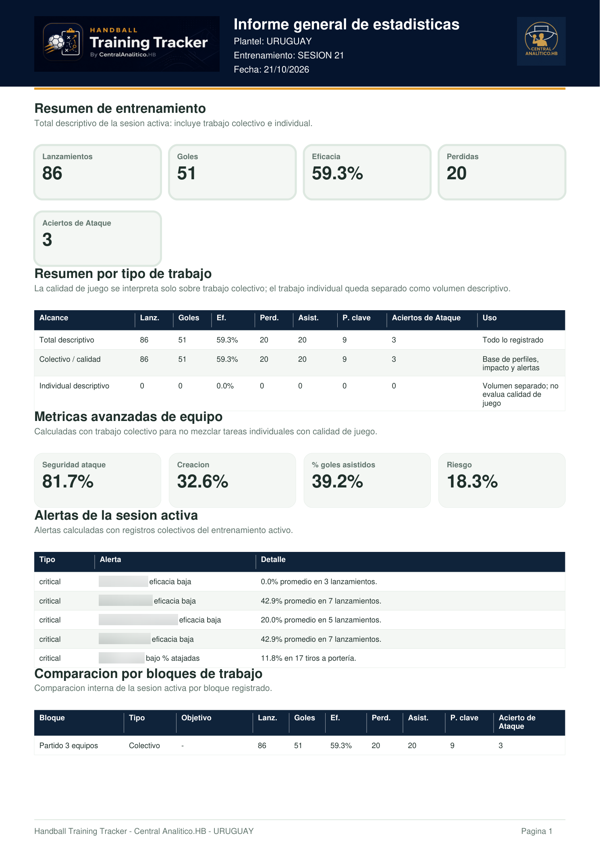
Explore attacking security, creation and risk in greater depth. Profiles and impact help you interpret the session’s collective work.

Training analysisEnlarge screenshot

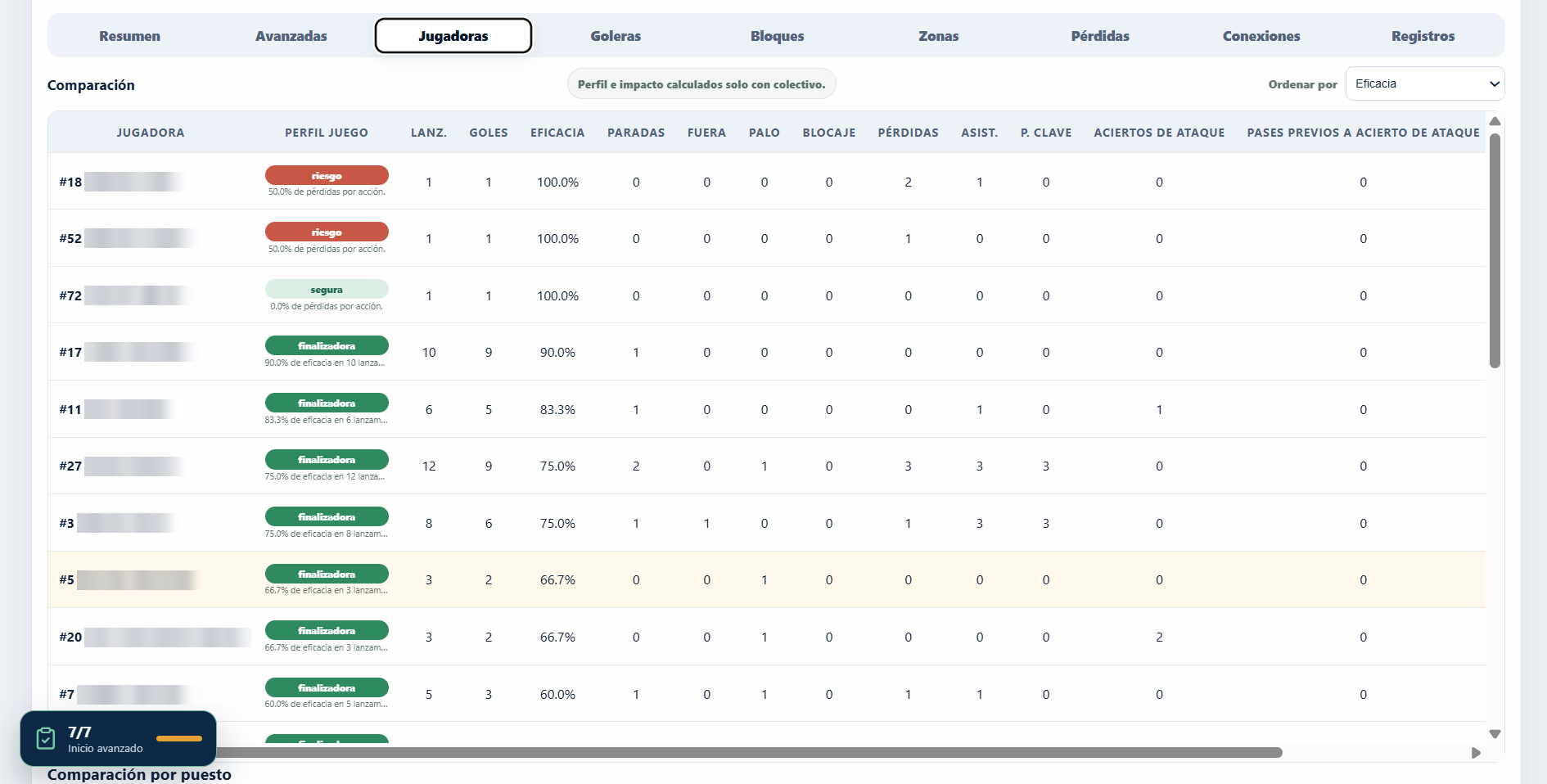
Player comparison

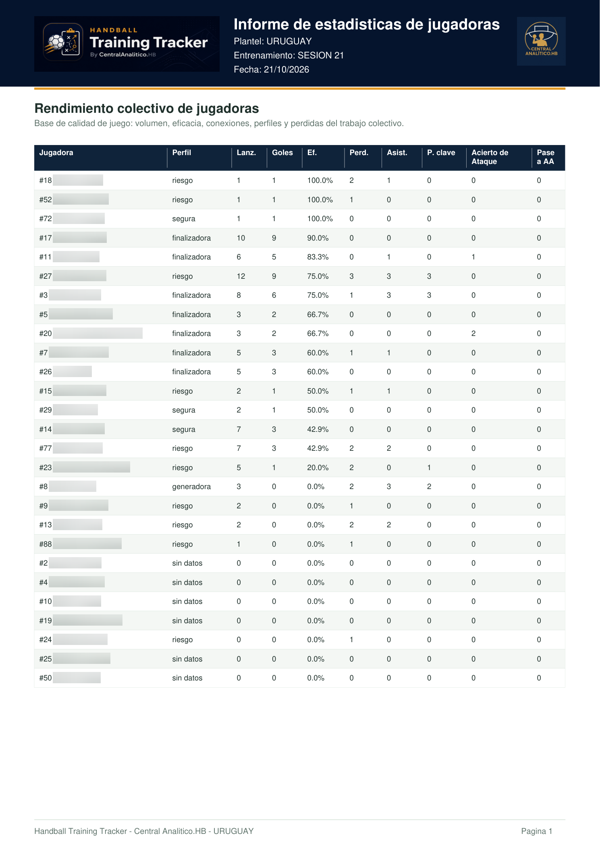
View shots, goals, efficiency, assists and turnovers for each player. Compare their contributions within the selected context.

Player comparisonEnlarge screenshot

Goalkeeper analysis

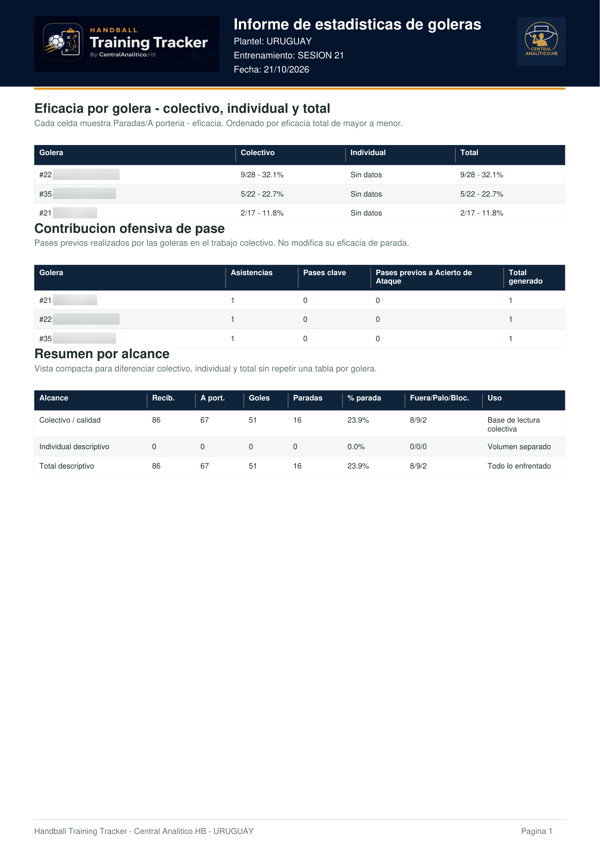
Compare shots faced and saves. Open each goalkeeper’s details to explore her performance by court and goal zone.

Goalkeeper analysisEnlarge screenshot

Playing connections

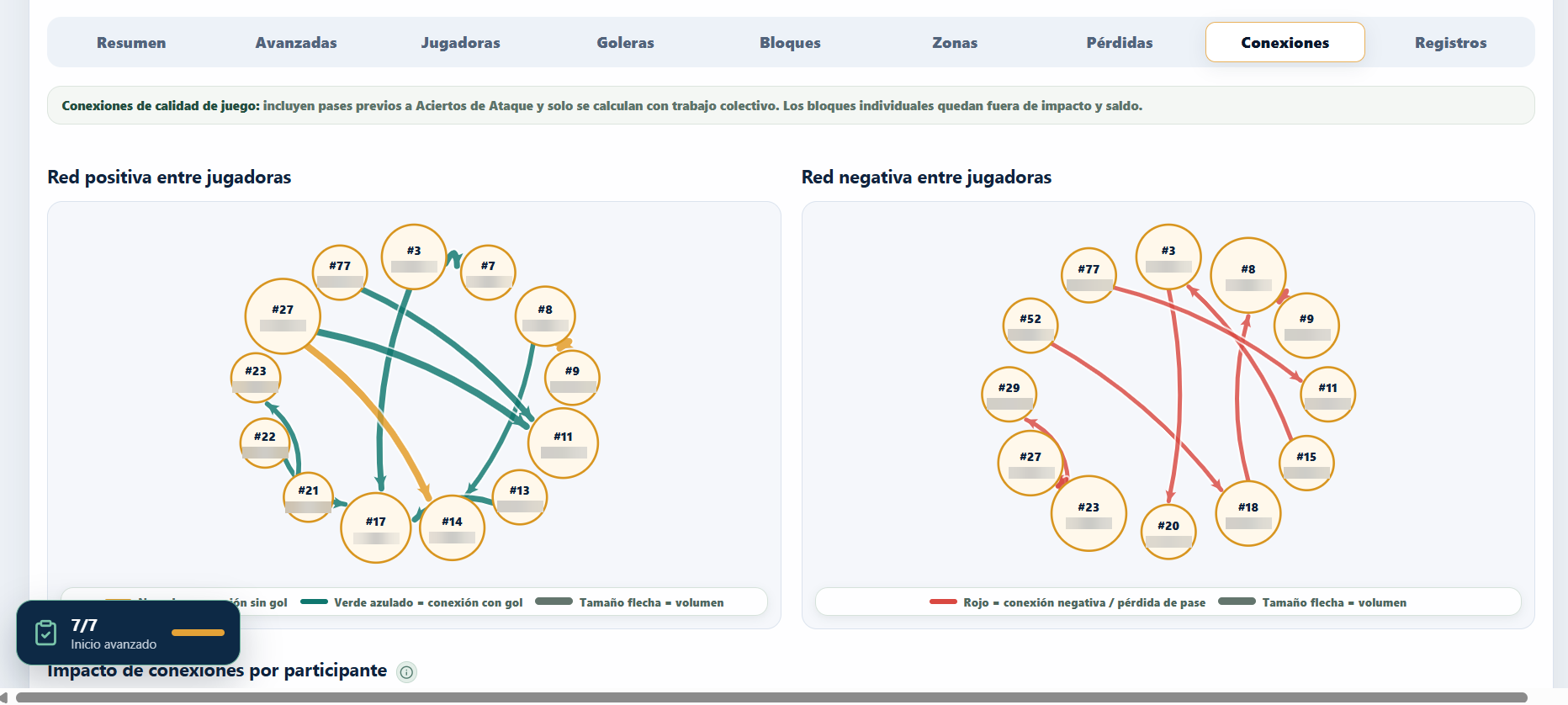
Visualize positive connections that generate attacks and negative connections associated with passing turnovers. Understand how the players interact.

Playing connectionsEnlarge screenshot

Performance trends

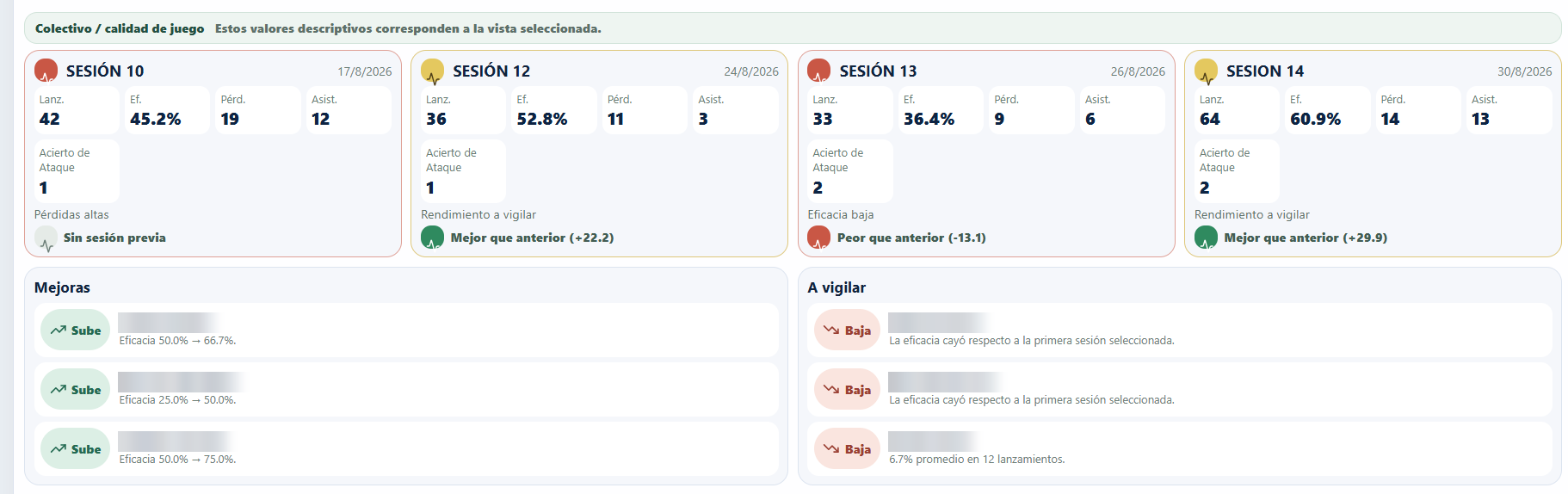
Compare sessions to identify improvements and areas to monitor. The history lets you track individual and team progress over time.

Performance trendsEnlarge screenshot

360° Performance

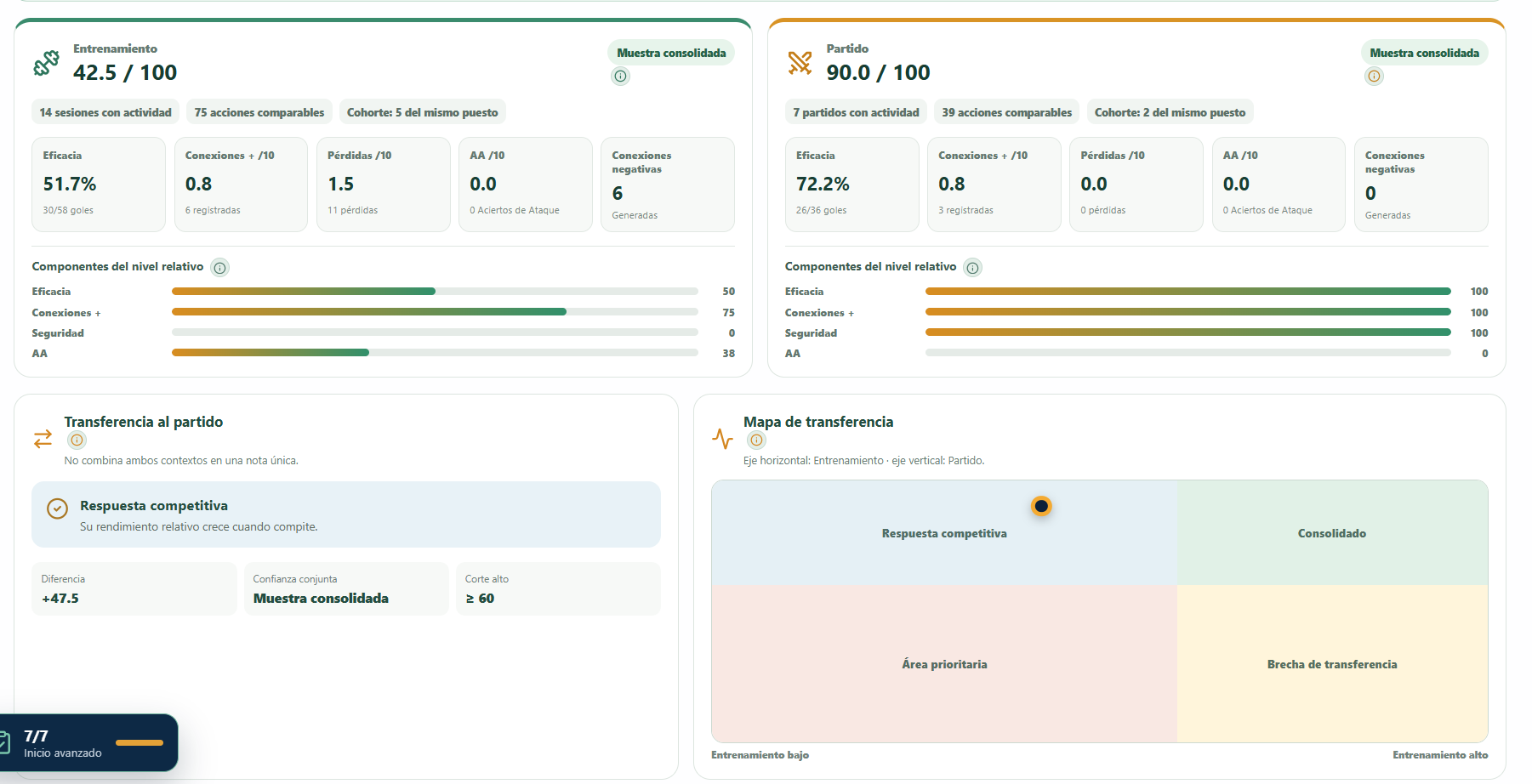
Compare performance in training and matches. The comparison and transfer map keep the two contexts distinct to help interpret their relationship.

360° PerformanceEnlarge screenshot

Ideal seven

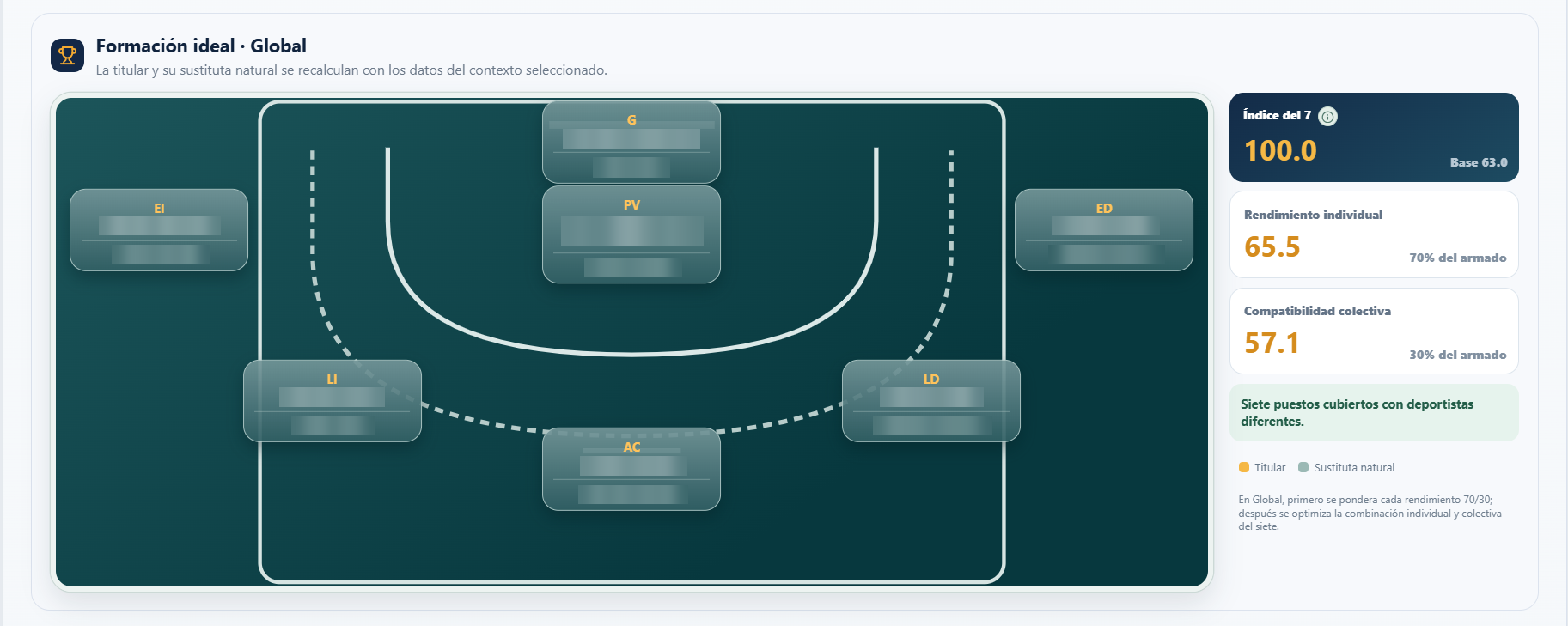
Explore a proposed lineup with starters and their natural replacements. The selection considers individual performance and collective compatibility in the chosen context.

Ideal sevenEnlarge screenshot

From analysis to report.

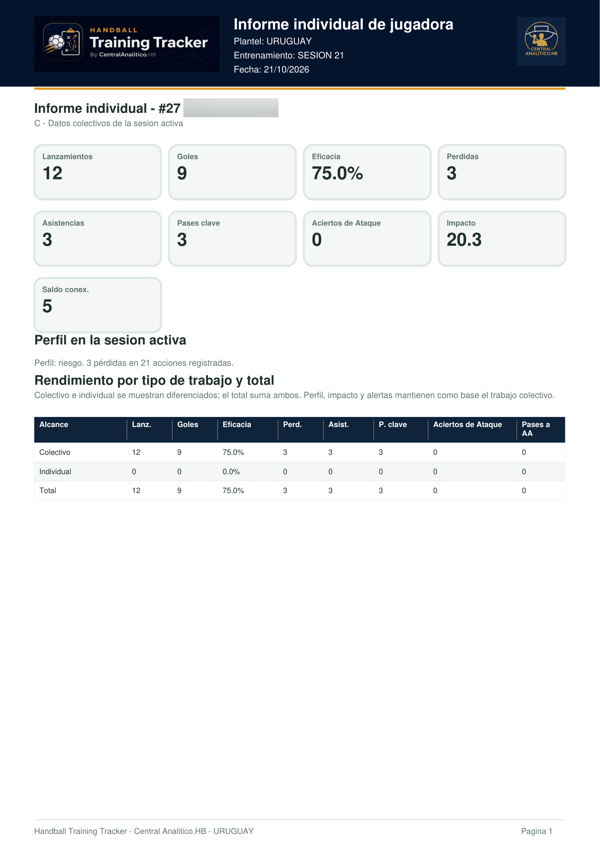
Share information with your coaching staff and athletes. Explore these four real examples of training reports.

General PDF report available from Basic. Player, goalkeeper and individual reports from Pro.

Real screenshots and reports. Names blurred to protect the athletes’ privacy.

From recording to a fuller picture of your team.

Try free for 14 daysCompare plans

FROM THE BENCH TO SPORTS MANAGEMENT

For those who live handball.

Coaches

Plan and record your team’s work.

Coaching staff

Work from a shared information base.

Clubs

Build tracking and methodology across squads.

Analysts

Interpret performance with more context.

LEARN. APPLY. PROGRESS.

Start with a guide.

See all tutorials

BEFORE YOU START

Clear questions.
Straight answers.

All questions
Do I need to install any software?

No. Handball Training Tracker is a web application. Access your account at app.handballtrainingtracker.com.

How does the free trial work?

Each user gets one 14-day trial, activated automatically, with one squad and full access equivalent to the 360 plan. For Club, you can request contact or a demo.

How do I subscribe to a plan?

Request your plan and number of squads. The commercial team reviews and approves the subscription; the licence is activated after approval.

What happens when the trial ends or the licence expires?

The trial lasts 14 days. To continue, request a plan from the commercial team. If a licence expires, your data is not deleted. The trial and licences are linked to your user account and organisation.

Can I work with several squads?

Yes. Basic, Pro and 360 include one squad; Club includes five. You can request additional squads, billed separately from the base plan. See their monthly or annual price under Plans.

YOUR NEXT SESSION IS A GREAT START

Start turning your
training into information.

14 days. One squad. The full 360 plan experience.